Security
Lithium battery rules on airplanes: carry-on limits and prohibited items
By the TSA Wait Times team · Updated · Published June 2026
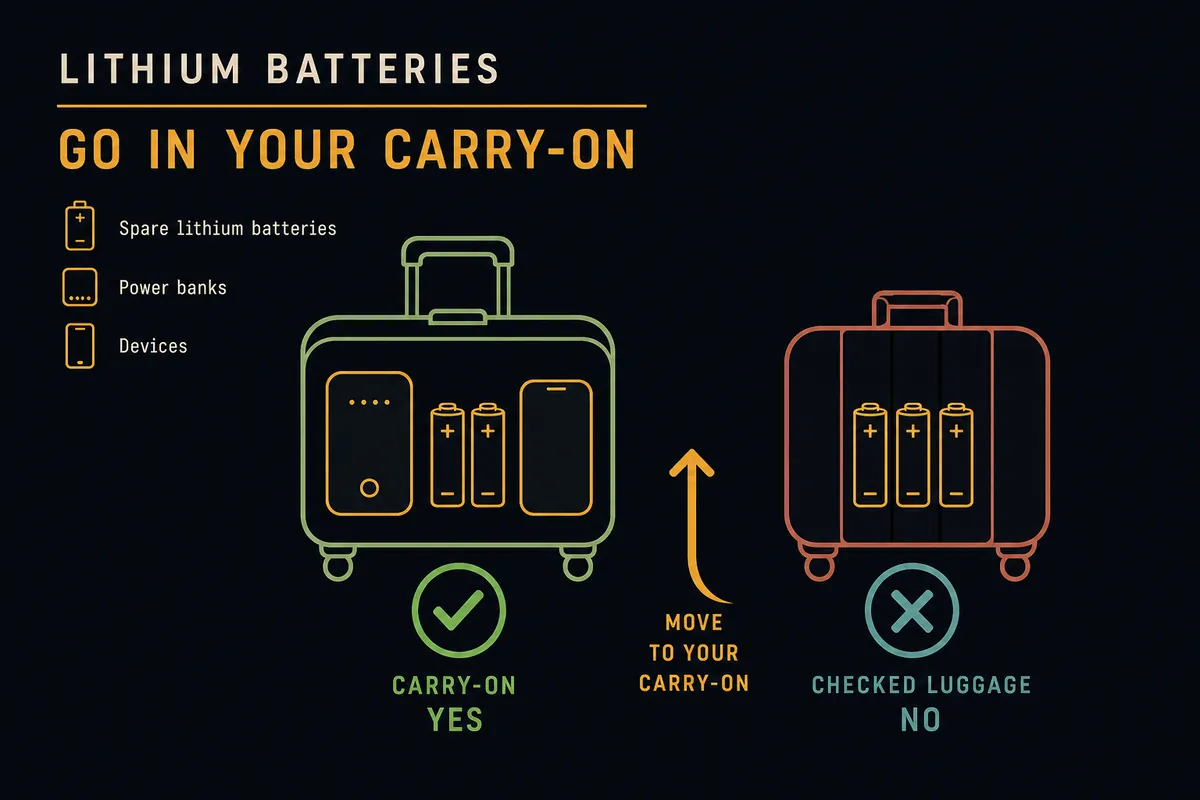
Lithium batteries — including power banks — are banned from checked bags entirely and must travel in your carry-on. The only variable is watt-hours: that one number decides whether you pack freely, need airline approval before the flight, or cannot fly with the battery at all. This guide covers the FAA tiers, how to calculate watt-hours, and what to do at the security checkpoint.
On this page
- Why are lithium batteries banned from checked baggage?
- What is the watt-hour limit for carry-on batteries and power banks?
- How do I calculate watt-hours for my battery or power bank?
- What are the rules for power banks specifically?
- What special items have their own battery rules?
- How do I pack spare batteries to pass TSA screening?
- What happens if you accidentally pack a battery in checked luggage?
Why are lithium batteries banned from checked baggage?
Lithium batteries can enter thermal runaway — a self-sustaining chemical chain reaction that generates intense heat and fire. In the cargo hold, a fire may go undetected for critical minutes and cannot be easily suppressed by cabin crew. In the passenger cabin, crew can see smoke immediately, douse the battery with water, and contain the device. The FAA has documented hundreds of air-travel battery incidents, and the carry-on mandate exists precisely because cabin visibility makes the risk manageable. This rule applies to spare batteries and power banks; a battery already installed in a device is technically permitted in checked baggage but the FAA strongly discourages it.
- Cargo hold fires are harder to detect and suppress than cabin fires
- Cabin crew can act within seconds when a battery smokes or ignites in the cabin
- The FAA has recorded 400+ battery-related aviation incidents since 2006
- Spare batteries and standalone power banks: checked baggage is prohibited, no exceptions
- Battery inside a device (e.g., checked laptop): technically allowed but FAA strongly discourages it
What is the watt-hour limit for carry-on batteries and power banks?
The FAA divides batteries into three tiers by watt-hour (Wh) rating. Under 100Wh — which covers virtually every phone, laptop, and standard power bank — you can pack as many as you like with no airline approval. From 101 to 160Wh, you may carry up to two spare batteries or power banks per person, but you must obtain airline approval before the flight; check with your carrier at booking or at check-in. Anything over 160Wh is prohibited on all passenger aircraft with no exceptions. Individual airlines are permitted to impose stricter quantity limits even in the under-100Wh tier.
| Watt-hour range | Carry-on allowed? | Approval / quantity rules |
|---|---|---|
| 0 – 100 Wh | Yes | No approval needed; quantity not capped by FAA (airline may limit) |
| 101 – 160 Wh | Yes, with conditions | Airline approval required; max 2 per person |
| Over 160 Wh | No | Prohibited on all passenger aircraft |
How do I calculate watt-hours for my battery or power bank?
Multiply the battery's voltage (V) by its amp-hour rating (Ah) to get watt-hours: Wh = V × Ah. Most batteries print this directly on the label. If yours shows milliamp-hours (mAh), divide by 1,000 first to convert to Ah. For example, a 26,800 mAh power bank rated at 3.7V works out to 99.2Wh — just under the 100Wh threshold — while a MacBook Pro battery marked 100Wh sits exactly at the no-approval limit.
| Device | Typical capacity | Status |
|---|---|---|
| iPhone 15 Pro | ~13.6 Wh | No concern |
| MacBook Pro 14" | ~100 Wh | Right at limit — no approval needed |
| Anker 26800 power bank | ~99 Wh | Just under limit — no approval needed |
| Large laptop (gaming/workstation) | 99–100 Wh (most cap here) | Verify label; over 100 needs approval |
| Camera battery grip (dual cell) | Often 100–130 Wh | May need airline approval |
| E-bike battery | 360–600 Wh | Prohibited — no passenger aircraft |
What are the rules for power banks specifically?
Power banks are treated as spare batteries, not as installed devices, because they exist solely to store and transfer charge. That classification means they are always subject to the carry-on-only rule regardless of capacity. As of 2026, TSA and FAA enforcement has expanded to cover gate-check situations: if a gate agent asks you to check your carry-on bag planeside, you must remove all power banks and loose batteries before surrendering the bag. Some airlines — particularly on international routes — have introduced per-passenger power bank quantity limits even for sub-100Wh units, so review your carrier's policy before packing multiple power banks.
- Power banks are always “spare batteries” under FAA rules — carry-on only, full stop
- Gate-check enforcement: remove all power banks before checking a bag planeside (tighter enforcement in 2026)
- 0–100 Wh: unlimited quantity per FAA; individual airlines may cap at 2–3 units
- 101–160 Wh: max 2 per passenger, airline approval required
- Over 160 Wh: prohibited — no power bank of this size may fly in cabin or cargo
What special items have their own battery rules?
Several consumer products come with batteries that fall outside the standard power bank framing. E-cigarettes and vaping devices must travel carry-on only and cannot be charged while on the aircraft. E-bikes and e-scooters carry lithium packs in the 360–600Wh range, which are prohibited on all passenger aircraft regardless of whether they are inside the vehicle or removed. Smart luggage with built-in, non-removable batteries may be denied boarding; if the battery is removable, take it out and carry it on. Wheelchairs and mobility scooters with lithium batteries follow separate FAA/DOT rules that require airline pre-notification.
| Item | Carry-on | Checked bag |
|---|---|---|
| E-cigarette / vape | Allowed (no charging on board) | Prohibited |
| E-bike / e-scooter battery | Prohibited | Prohibited |
| Smart luggage (removable battery) | Battery in cabin | Bag allowed, battery must come out |
| Smart luggage (non-removable battery) | Check with airline — may be denied | Prohibited |
| Power wheelchair (wet cell / dry cell) | N/A | Allowed with pre-notification |
| Spare camera / drone batteries | Allowed (terminals protected) | Prohibited |
How do I pack spare batteries to pass TSA screening?
TSA requires that exposed battery terminals be protected from short circuits — a terminal touching a key or coin in your bag can generate enough heat to ignite. Swollen, leaking, or physically damaged batteries are prohibited from all flights and must not be packed at all. Carry your batteries in an easily accessible part of your carry-on because TSA agents may ask you to remove them during X-ray screening, and gate agents may ask you to show them before a planeside check.
- Original retail packaging: safest and easiest option if you still have it
- Electrical tape over both terminals: cheap, reliable for loose AA/AAA lithium and camera cells
- Hard-shell battery case: best for frequent travelers carrying multiple cells
- Individual zip-lock bags: works well for power banks and cylindrical cells
- Keep batteries accessible in your bag for X-ray and potential gate-check inspections
- Swollen, puffy, or leaking batteries: prohibited — do not pack, do not fly with them
What happens if you accidentally pack a battery in checked luggage?
If a screener finds a spare lithium battery or power bank in your checked bag, the bag will typically be pulled from the conveyor and you will be paged to retrieve the item — adding significant stress at check-in. If the bag has already been loaded onto the aircraft and the battery is discovered in cargo, it may be removed and you could miss your flight. In the worst case, a battery that goes undetected in cargo and initiates thermal runaway mid-flight creates a serious aviation emergency. Most travelers who run afoul of this rule do so accidentally by forgetting a power bank in a travel backpack they checked — do a quick audit before handing any bag to an agent.
- Your bag may be pulled and you are paged at the terminal — stressful and time-consuming
- A battery found in loaded cargo may be removed, potentially causing you to miss the flight
- Quick fix: before checking any bag, open it and check every pocket for power banks, loose batteries, or camera cells
Battery rules sit alongside a broader set of carry-on restrictions. If you use TSA PreCheck, you still need to remove power banks and loose batteries from your bag for X-ray screening — PreCheck does not exempt batteries from the inspection step. See also TSA rules for electronics for what else to pull out at the checkpoint, and the 3-1-1 liquids rule for the other common packing restriction. For a complete picture of permitted and prohibited items, the full TSA screening guide covers edge cases across all categories.
Know your Leave-By Time before you pack
Once your carry-on is packed correctly, the next step is knowing exactly when to leave for the airport — accounting for today's live TSA security wait at your terminal.
Calculate your Leave-By Time →Rules verified . Sources: FAA PackSafe — lithium batteries, TSA — batteries 100Wh or less, TSA — batteries over 100Wh, TSA — e-cigarettes and vaping devices.
Keep planning
Security
How long does airport security really take?
Most travelers clear standard screening in 15 to 30 minutes — but the hour you pick changes everything.
SecurityWhat you can (and can't) bring through security
Liquids, laptops, snacks, and the things that surprise people — a plain-language packing check before you go.
SecurityCarry-on liquids: the 3-1-1 rule, explained
3.4 ounces, one quart bag, one per traveler — plus the exceptions for medications and baby formula.
SecurityAirport security tips for families with kids
From stroller gate-checks to formula at the X-ray belt — everything parents need to know to move a family through TSA quickly.