Security
Airport security tips for seniors and travelers with mobility aids
By the TSA Wait Times team · Updated · Published June 2026
Pacemakers and implants need the body scanner, not the walk-through metal detector — and your wheelchair never leaves your side. TSA has specific procedures for every medical device and mobility aid, but the checkpoint still surprises travelers who don't know the rules in advance. Here is exactly what TSA does at each step so you can move through without surprises.
On this page
- What should I tell TSA before going through security with a medical device?
- Can a pacemaker or ICD go through the body scanner (AIT)?
- What happens to your wheelchair at the security checkpoint?
- Do medications and medical liquids count against the 3-1-1 rule?
- Which mobility aids and implants need extra screening — and which do not?
- How do I use TSA Cares to get dedicated checkpoint assistance before I fly?
- Does TSA PreCheck make security easier for seniors and travelers with mobility aids?
What should I tell TSA before going through security with a medical device?
Inform the TSA officer about any implant, pacemaker, defibrillator, prosthesis, or mobility aid before you approach the screening equipment — not after an alarm goes off. TSA provides a free Notification Card (downloadable PDF at tsa.gov) that lets you communicate your condition discreetly without speaking aloud in a crowded lane. You can also request a private screening room at any checkpoint, which officers are required to accommodate. Notifying the officer first is the single most effective step: it lets the officer route you to the correct equipment and avoids secondary screening delays.
- Say it before you step into any lane: “I have a [pacemaker / hip replacement / etc.] I need to disclose.”
- Carry the TSA Notification Card filled out in advance — available at tsa.gov/sites/default/files/disability_notification_card_508.pdf
- Request a private screening room if you prefer — your right under TSA policy
- You may also request a same-gender officer for the pat-down portion
Can a pacemaker or ICD go through the body scanner (AIT)?
Yes — and that is actually the preferred option. TSA.gov states that Advanced Imaging Technology (AIT), the millimeter-wave body scanner in most lanes, “can facilitate your screening and reduces the likelihood of a pat-down” for travelers with pacemakers and ICDs. What you must avoid is the walk-through metal detector (WTMD): TSA explicitly states that “individuals with an internal medical device such as a pacemaker should not be screened by a walk-through metal detector.” If you decline the body scanner, the alternative is a pat-down, not the metal detector. Consult your cardiologist before travel for personalized guidance, as device models vary.
- AIT body scanner: safe and preferred for pacemakers, defibrillators, and ICDs
- Walk-through metal detector: NOT recommended — skip this machine
- If you decline the body scanner: TSA will conduct a pat-down instead
- Hip and knee replacements, spinal rods: AIT preferred; WTMD may alarm but is not medically contraindicated — officers will conduct additional screening if it alarms
- Note: the “implant card” from your surgeon is not required by TSA but can speed up conversations with officers
What happens to your wheelchair at the security checkpoint?
You stay seated. TSA will not ask you to stand or transfer out of your wheelchair or mobility scooter unless you choose to do so. Officers will visually inspect and physically check the chair — including seat cushions, pouches, and armrests — and run Explosive Trace Detection (ETD) swabs on surfaces of the chair and your hands. ETD is a brief swab process that takes under two minutes; the swab is analyzed by a machine for explosive residue. If the swab triggers an alarm, additional screening follows but you remain in or near your chair throughout. Power wheelchairs and scooters receive the same ETD process; the chair does not go through the X-ray belt.
- You are never required to leave your wheelchair or scooter
- TSA officers will physically inspect the chair and cushions
- ETD swab taken from chair surfaces and your hands — normal for all mobility aids
- Power chairs and manual chairs are treated identically
- If you use a cane or walker that can be placed on the X-ray belt, do so — it moves through normally
Do medications and medical liquids count against the 3-1-1 rule?
No. Prescription and over-the-counter medications in liquid, gel, or aerosol form are explicitly exempt from the TSA 3-1-1 rule — they do not need to fit in a quart-sized bag and may exceed 3.4 oz. This covers insulin and other injectable medications, liquid nutritional supplements, eye drops prescribed for medical conditions, and other medically necessary liquids. Declare these items to the officer at the start of screening and place them in a separate bin; TSA may swab or X-ray them. Solid-form pills do not need to be in their original prescription bottles, though having labels helps if questioned. Ice packs and gel packs used to keep medications cool are also allowed if partially or fully frozen.
- Liquid medications: no size limit, exempt from 3-1-1
- Insulin, syringes, lancets: all allowed in carry-on
- Ice packs for medications: allowed if solid frozen; gel packs OK even if slushy
- Declare separately at the start — pull them out before the bin goes through
- Medical oxygen and CPAP machines: allowed; CPAP goes through X-ray belt (remove from bag)
For the full liquids picture including non-medical items, see TSA's 3-1-1 liquids rule explained.
Which mobility aids and implants need extra screening — and which do not?
Most wearable devices stay on during screening. TSA's default approach is to screen around the device — using AIT, ETD swabs, or targeted pat-down — rather than requiring removal. “Additional screening” in the table below means a targeted pat-down of the area, an ETD swab, or both; it does not mean removal or confiscation.
| Device / Aid | Remove? | Screening method & notes |
|---|---|---|
| Pacemaker / ICD | No (implanted) | AIT body scanner preferred; avoid walk-through metal detector; pat-down if AIT declined |
| Hip or knee replacement | No (implanted) | AIT preferred; WTMD may alarm — officer conducts targeted pat-down of area |
| Spinal rod / bone stimulator | No (implanted) | AIT or pat-down; inform officer of location before screening |
| Wheelchair / scooter | No (stay seated) | ETD swab of chair + hands; visual and physical inspection of cushions and pouches |
| Prosthetic limb | No — not required | Additional screening via AIT, pat-down, or ETD swab; inform officer first |
| Knee brace / cast / ankle brace | No — stays on | May trigger alarm; targeted pat-down of braced area is standard follow-up |
| Shoes with orthotics / AFO braces | Typically no | Shoes with braces can usually stay on; officer discretion applies — inform at lane start |
| Hearing aid / cochlear implant | No | Compatible with AIT and WTMD; no removal required |
| Insulin pump / CGM sensor | No | Inform officer of location; AIT is safe; request pat-down around pump if preferred |
How do I use TSA Cares to get dedicated checkpoint assistance before I fly?
TSA Cares is a free pre-travel helpline staffed by TSA representatives who can explain exactly what to expect for your specific medical situation and, if needed, arrange a Passenger Support Specialist (PSS) to meet you at the checkpoint. Call (855) 787-2227 at least 72 hours before your flight — same-day calls are accepted but PSS arrangements require advance notice. The helpline is staffed Monday through Friday 8 a.m.–11 p.m. Eastern, and weekends and federal holidays 9 a.m.–8 p.m. Eastern. A PSS is a specially trained TSA officer who will escort you through the full screening process and act as your dedicated point of contact; they can coordinate private screening, assist with equipment placement, and explain each step before it happens.
- Phone: (855) 787-2227
- Call at least 72 hours ahead to guarantee a Passenger Support Specialist
- Hours: Mon–Fri 8 a.m.–11 p.m. ET; weekends/holidays 9 a.m.–8 p.m. ET
- Email: TSA-ContactCenter@tsa.dhs.gov
- Online request form also available at tsa.gov/contact-center/form/cares
- TSA Cares covers checkpoint assistance only — contact your airline separately for wheelchair assistance in the terminal and on the jet bridge
Does TSA PreCheck make security easier for seniors and travelers with mobility aids?
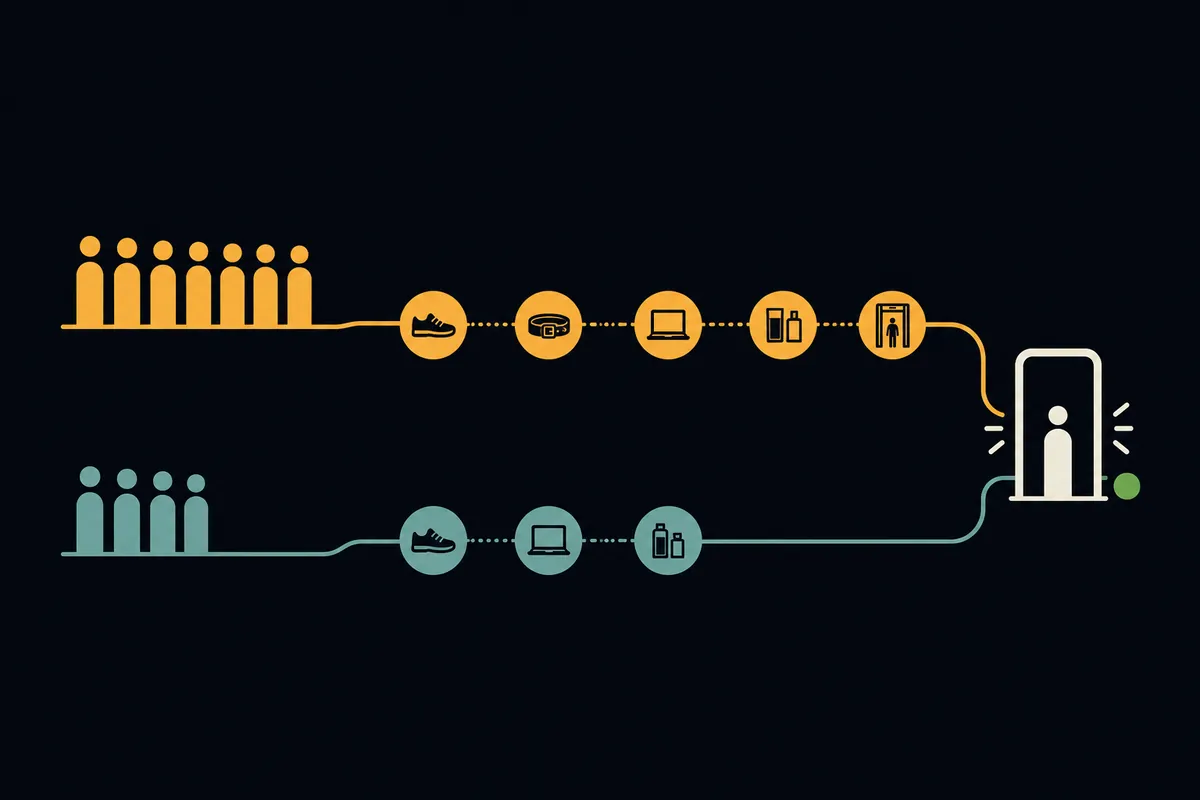
Yes, in two ways. First, PreCheck lanes use the walk-through metal detector as the standard lane, but passengers with pacemakers or implants who hold PreCheck can request the AIT body scanner instead — before entering the WTMD — which may also allow them to keep their shoes on throughout. Second, PreCheck lanes have shorter queues and lower overall physical burden: no removing shoes, laptops, or liquids from bags. For seniors who find extended standing or repeated bending difficult, PreCheck's streamlined process reduces the checkpoint to a brief walk-through with minimal bin-loading. TSA Cares assistance applies to both standard and PreCheck lanes.
- PreCheck + implant: request AIT screening before WTMD and keep shoes on
- Shorter lanes mean less standing time — a meaningful benefit for mobility-limited travelers
- PreCheck costs $78 for 5 years (renewal $70); available at enrollment centers nationwide
- CLEAR (biometric) can be stacked with PreCheck to reduce wait at the ID check step
Comparing the programs? PreCheck vs. CLEAR vs. Global Entry — which is worth it breaks down the costs, eligibility, and which lane-access benefit fits your travel style.
Plan extra time for a smooth checkpoint experience
TSA screening with a mobility aid or medical device often takes a few extra minutes. The Leave-By Time calculator factors in today's live security wait at your airport so you can build in that buffer without guessing.
Get your Leave-By Time →Procedures verified against TSA.gov and published TSA Cares documentation. Sources: TSA — medical device procedures · TSA — PreCheck with implant · TSA Cares · Amputee Coalition — checkpoint guide
Keep planning
Security
How long does airport security really take?
Most travelers clear standard screening in 15 to 30 minutes — but the hour you pick changes everything.
SecurityWhat you can (and can't) bring through security
Liquids, laptops, snacks, and the things that surprise people — a plain-language packing check before you go.
SecurityCarry-on liquids: the 3-1-1 rule, explained
3.4 ounces, one quart bag, one per traveler — plus the exceptions for medications and baby formula.
SecurityAirport security tips for families with kids
From stroller gate-checks to formula at the X-ray belt — everything parents need to know to move a family through TSA quickly.